Thermostat usage guide
The thermostats work like any other Home Assistant climate entity.
Preset Modes
There are three preset modes:
- Home - The thermostat will follow a profile
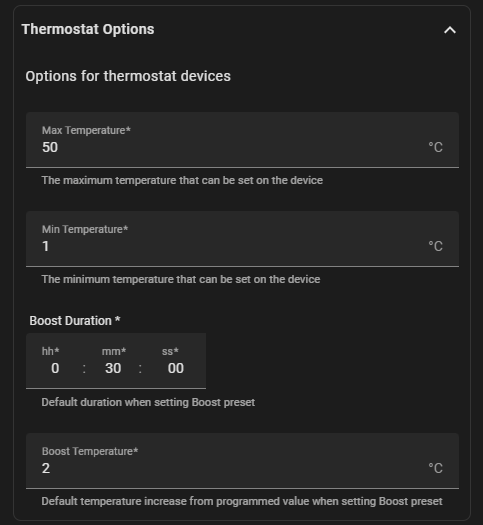
- Boost - The thermostat is set to 2 degrees higher for 30 minutes (The default duration and temperature boost can be configured using Configure on the hub entry)
- Standby - The thermostat is in frost protection mode. The thermostat is not following a profile and will only call for heat if the temperature drops below the configured frost protection temperature.
- Away - Same as Standby, but all thermostats and timers are set to Away
Helper Sensors/Entities
- Hold Time Remaining - If a hold/override is active, displays the number of minutes left
- Hold Temperature - Shows the hold temperature (only relevant if hold is active)
- Current Temperature - optional sensor that holds the current temperature (can also be obtained as an attribute of the climate entity)
- Floor Temperature - displays the floor temperature if a floor sensor is connected (can also be obtained as an attribute of the climate entity)
- Active Profile - Can select a different profile for the thermostat.
- PROFILE_0 is a special profile when the profile is managed directly on the thermostat rather than a shared profile managed in the hub
- Profile Next Time - The next time there is a state change managed by the profile
- Profile Current Temeperature - The profile’s current temperature
- Profile Next Temeperature - The profile’s temperature at the next state change
-
Lock - Lock or unlock the keypad on a thermostat. Use the standard
lock.lockservice if you want to set a new pin numberINFO
NOTE: Profile entities are only relevant if the hub is not in non-programmable mode
Configuration Entities
- Frost Temperature - The frost protection temperature when the device is on standby/away/holiday
- Output Delay - delay before the thermostat can call for heat again after switching off
- Optimum Start - maxiumu preheat period
- Switching Differential - How far the temperature has to drop before heat is called for
- Floor Limit Temperature - Thermostat will stop calling for heat if the floor reaches this temperature (only if a floor sensor is in use)
- User Limit - if thermostat is locked, this the temperature change allowed without unlocking the thermostat.
Diagnostic Entities
- Hold Active - shows if a hold is in place
- Standby - if the device is in standby
- Away - if the hub is away or on holiday
- Device Temperature - NeoStats in TimeClock mode still have access to the temperature
- Identify - A button to flash the screen of a NeoStat in TimeClock mode
- Floor Limit Reached - shows if the output is off because the floor limit temperature has been reached
Configuration Options
You can edit a few options for thermostats by going into the settings for the hub entry: 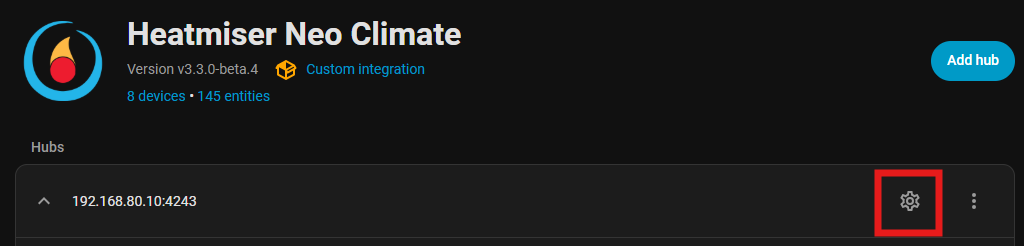 From the options, choose Configure default settings for devices and you can configure the following:
-
Min and Max Temperature - The default range is 5 to 35 degrees C. You can modify this range, but note that increasing the range is not normally supported by the devices themselves.
This setting applies to all thermostats. You can use a standard home assistant feature to reduce the range on a specific thermostat
In your
configuration.yamladd:homeassistant: customize: !include customize.yamlThen in a
customize.yamladd an entry for the thermostat you want to adjustclimate.landing: max_temp: 25 min_temp: 10 -
Boost duration and boost temperature - When the profile is set to Boost, the default duration is 30 minutes and an increase in set temperature of 2 degrees. This can be configured here.